Macで外付けHDDがフォーマット(exFAT形式)できない時にやること
目次
こんにちは、こんばんは。
MacBookで外付けHDDをフォーマットする際に少し手間取ったので、備忘的に残します。
Macでディスクをフォーマットする基本的な方法
はじめにMacでディスクをフォーマットする基本的な方法を見ておこう。
フォーマットがしたくて訪れた人は、まずはこの方法を試すと良いだろう。
アプリケーション>ディスクユーティリティを開く。
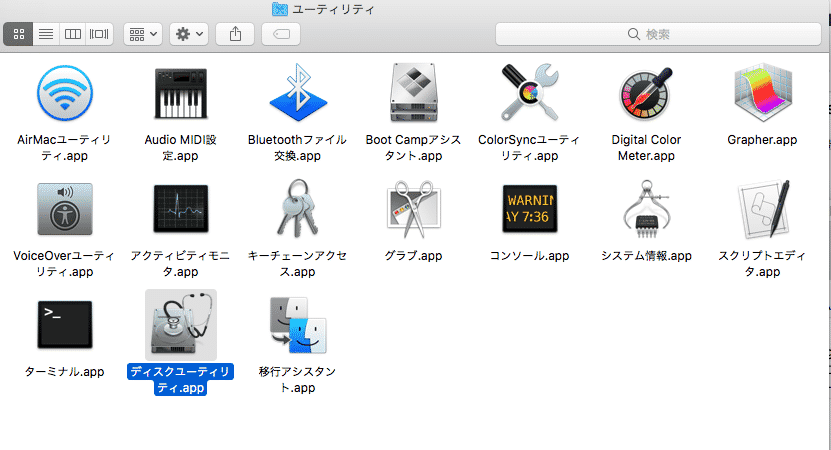
フォーマットしたいディスクを選んで消去をクリック。

ディスクの名前(任意)を入力し、フォーマットの形式を選択し、消去を行う。
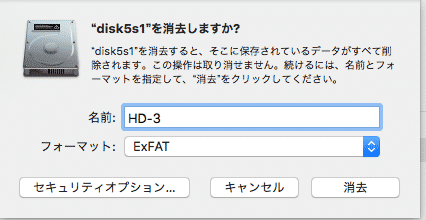
これで消去できれば、何も問題はない。
事象
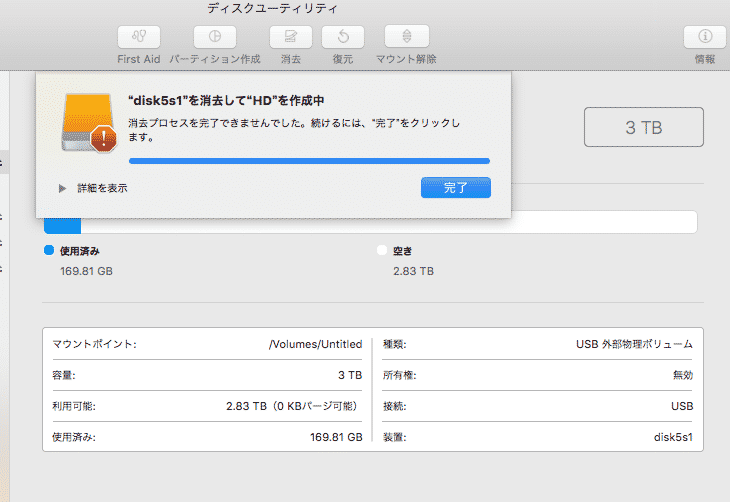
MacBookでディスクユーティリティを用いて外付けのHDDをフォーマットしようとすると、「消去プロセスを終了できませんでした」と表示され、フォーマットができない。
環境
- HDD
- BUFFALO USB3.0 外付けハードディスク
- 元々はTVの録画用に使用していた
- MacBook Pro
- プロセッサ名: Intel Core i5
- メモリ: 8 GB
- OS: version10.13.6
原因
残念なことに事象が発生した原因は不明です。録画用に使用していたからなのか、容量が3TBと大きいからなのか、はたまた別の問題なのか。
解決
ターミナルから強制的にフォーマットを行った。
ターミナルはcommand + spaceを押してspotlight検索から、ターミナルと入力し起動。 あるいはアプリケーション>ユーティリティ>ターミナル.appを起動させる。
ターミナルでunmountを実行する
まずはフォーマット対象のディスクを特定する。
ターミナルでdiskutilと入力すると、実行できるコマンドの一覧が表示される。※これは別に実行する必要はない。
diskutil
Disk Utility Tool
Utility to manage local disks and volumes
Most commands require an administrator or root user
WARNING: Most destructive operations are not prompted
Usage: diskutil [quiet] , where is as follows:
list (List the partitions of a disk)
info[rmation] (Get information on a specific disk or partition)
listFilesystems (List file systems available for formatting)
activity (Continuous log of system-wide disk arbitration)
u[n]mount (Unmount a single volume)
unmountDisk (Unmount an entire disk (all volumes))
eject (Eject a disk)
mount (Mount a single volume)
mountDisk (Mount an entire disk (all mountable volumes))
enableJournal (Enable HFS+ journaling on a mounted HFS+ volume)
disableJournal (Disable HFS+ journaling on a mounted HFS+ volume)
moveJournal (Move the HFS+ journal onto another volume)
enableOwnership (Exact on-disk User/Group IDs on a mounted volume)
disableOwnership (Ignore on-disk User/Group IDs on a mounted volume)
rename[Volume] (Rename a volume)
verifyVolume (Verify the file system data structures of a volume)
repairVolume (Repair the file system data structures of a volume)
verifyDisk (Verify the components of a partition map of a disk)
repairDisk (Repair the components of a partition map of a disk)
eraseDisk (Erase an existing disk, removing all volumes)
eraseVolume (Erase an existing volume)
reformat (Erase an existing volume with same name and type)
eraseOptical (Erase optical media (CD/RW, DVD/RW, etc.))
zeroDisk (Erase a disk, writing zeros to the media)
randomDisk (Erase a disk, writing random data to the media)
secureErase (Securely erase a disk or freespace on a volume)
partitionDisk ((re)Partition a disk, removing all volumes)
resizeVolume (Resize a volume, increasing or decreasing its size)
splitPartition (Split an existing partition into two or more)
mergePartitions (Combine two or more existing partitions into one)
appleRAID (Perform additional verbs related to AppleRAID)
coreStorage (Perform additional verbs related to CoreStorage)
apfs (Perform additional verbs related to APFS)
diskutil with no options will provide help on that verb
どうもlistを実行すれば、ディスクの一覧が表示できそうである。
ターミナルで
diskutil list を実行。
すると以下のように一覧が表示される。
diskutil list
〜中略〜
/dev/disk5 (external, physical):
#: TYPE NAME SIZE IDENTIFIER
0: GUID_partition_scheme *3.0 TB disk5
1: Microsoft Basic Data 3.0 TB disk5s1
対象は/dev/disk5だとわかった。
続いて
diskutil unmountDisk /dev/diskX(Xは各自のdiskの番号) を実行する。
diskutil unmountDisk /dev/disk5
Unmount of disk5 failed: at least one volume could not be unmounted
Unmount was dissented by PID 70177
まあわかっていたけれど、failedとなる。これはアプリケーション上で実行するのとほぼ同じことだろうからね。
もしこれでフォーマットが成功した場合は、次のコマンドは飛ばしてよい。
上記のコマンドでfailedとなった場合は、 >sudo diskutil unmountDisk force /dev/diskX(Xは各自のdiskの番号) を実行する。
root権限はあったので、sudoはいらなかったかもしれない……
sudo diskutil unmountDisk force /dev/disk5
Forced unmount of all volumes on disk5 was successful
unmountが成功した!
ディスクユーティリティから消去を実行する
unmountが成功したら、再度ディスクユーティリティアプリを開く。
きっとターミナル上で続きを実行できると思うが、GUIに頼りがちの僕です。
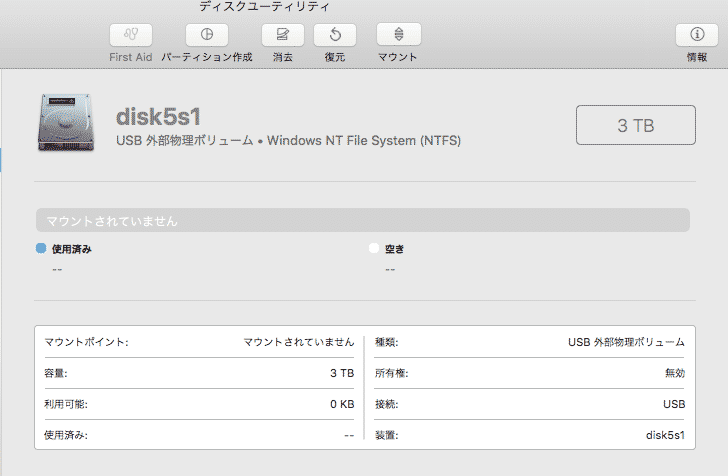
マウントされていないことがわかる
消去ボタンから名前(任意)とフォーマットの形式を選択し、消去を実行する。
フォーマットが完了し、使用できるようになった。
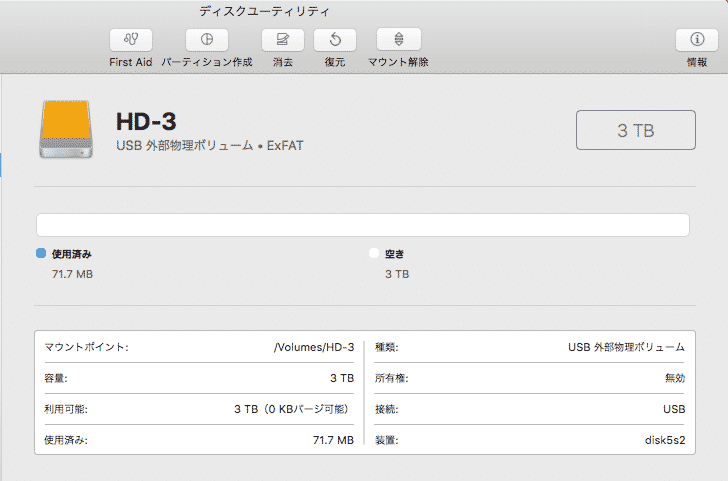
これで自分の使いたいように外付けのHDDが使用できようになった。